Cashed Casino Download APK Newest Version for Germany

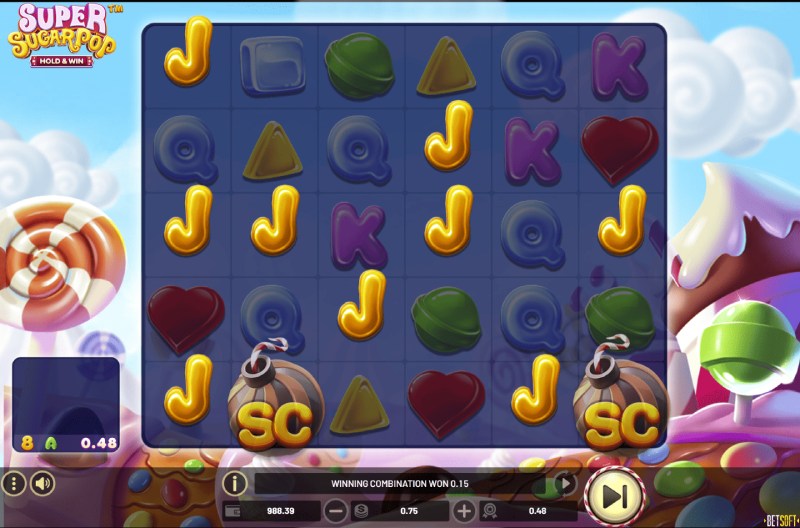
The method players get to online casino gaming has shifted significantly toward mobile devices, and Cashed Casino apk download has reacted with a dedicated Android app built for speed, reliability, and full-featured play. The latest APK update delivers refinements that matter to any user who wants immediate entry to slot machines, casino tables, and real dealer games skipping opening a internet browser. For members in Germany and elsewhere, downloading the Cashed Casino app directly from the legitimate website secures a protected installation that bypasses local store limitations while maintaining all user data encrypted. This article explains in detail how to obtain the latest APK version, what technical conditions are needed, how to set up a device for sideloading, and what separates the app experience from the browser-based version. Every detail is offered so that a first-time or existing player can complete the procedure with confidence, knowing what to anticipate at each phase and how to keep the app working at its optimal.
Security and Account Protection on the Platform
Mobile platforms introduce specific security aspects, and the Cashed Casino app tackles them with multiple layers of protection. All transmission between the app and the casino platforms is encrypted using TLS 1.3, the identical protocol used by banking institutions. This assures that login details, payment details, and personal information cannot be captured on public Wi-Fi connections. The app also validates the server certificate on each session, blocking man-in-the-middle attempts. On the device side, the APK is cryptographically signed by the developer, and the mark is verified by Android during installation and each following launch. Any interference with the app file would cause the signature validation to malfunction, preventing the app from running.
Account-level security is reinforced through elective two-factor verification, which can be turned on from the profile options. When active, each login necessitates a one-time code generated by an authenticator app, providing a essential barrier even if a password is compromised. The app also offers biometric verification, permitting players to log in with a touch ID or face scan instead of typing a password each time. This biometric data never leaves the device; the app simply receives a yes/no the operating system’s secure zone. Session timeouts can be set to automatically log out after a period of inactivity, and the app will lock itself when the device screen turns off if the player selects that setting. These steps together create a security stance that satisfies the expectations of privacy-conscious users.
Navigating the In-App Experience: Functions and Design
The Cashed Casino app welcomes players with a lobby that prioritizes discoverability without seeming cluttered. A top banner switches through highlighted games and current promotions, while below it a row of category tabs allows users switch to slots, jackpots, table games, or the live casino with a single tap. The search function handles partial titles and provider names, so finding a specific game like “Book of Dead” or filtering by “Evolution” takes only a moment. Each game tile displays a crisp thumbnail and, where applicable, a small badge indicating new or hot status. The app recalls recently played titles and presents them in a dedicated “Continue Playing” strip, which removes the need to scroll through the full library every session.
Beyond game selection, the app integrates account management tools directly into the navigation. The cashier section handles deposits and withdrawals through methods typically available in Germany and other European markets, including bank transfer, e-wallets, and prepaid vouchers. Transaction history, bonus status, and responsible gaming limits are accessible from a unified profile screen. The support channel is embedded as an in-app live chat that does not require switching to a separate app, and response times are typically under two minutes during operational hours. A dedicated notification center maintains players informed about completed withdrawals, new bonus credits, and important account updates, with the option to fine-tune which alerts appear. This cohesive design means that everything a player needs sits inside a single environment, reducing friction and aiding users stay focused on entertainment.
- Constant bottom navigation bar for lobby, cashier, promotions, and support.
- Intelligent search with autocomplete and provider filtering.
- “Continue Playing” strip that fetches the latest recent games instantly.
- Embedded live chat and push notification management.
- Biometric login support (fingerprint or face recognition) on compatible devices.
Performance, Velocity, and Data Consumption on Cell Phone
App responsiveness is one of the clearest advantages players see when transitioning from a browser. The Cashed Casino app prequalifies the lobby shell and frequently used interface elements, so movement between sections feels immediate. Game launch times are reduced because the app can cache shared libraries used by various games from the same provider, reducing the amount of data that must to be fetched each time. On a typical 4G connection, a video slot opens in three to five seconds, while live dealer tables link within a comparable window. The app also uses adaptive streaming for live games, adjusting video quality based on existing bandwidth to prevent buffering without manual intervention. This is particularly useful when switching between Wi-Fi and mobile data during a session.
Data consumption is a legitimate concern for players who do not have unlimited plans. The Cashed Casino app includes a included data usage meter that displays session and monthly totals, providing users transparency over their consumption. In standard mode, an hour of slot play usually uses between 20 MB and 40 MB, while live casino streams can extend from 150 MB to 300 MB per hour depending on video quality. Activating the data-saver mode reduces images and caps live streams at a lower resolution, which can cut in half the usage without making games unplayable. The app also follows system-level data saver settings on Android, instantly switching to a lighter mode when the device’s global data saver is enabled. These controls put the player in command of their data budget while preserving a smooth experience.
Compatible Devices and System Prerequisites
Before beginning the download, it is crucial to verify that the target device fulfills the minimum specifications for smooth operation. The Cashed Casino APK is built for Android smartphones and tablets operating on version 8.0 (Oreo) or more recent. Devices operating on Android 7 or earlier will not be able to set up the latest update, as the app depends on security and graphics APIs implemented in more recent system releases. While the app will run on Android Go editions with adequate RAM, the optimal experience calls for at least 3 GB of RAM and a screen clarity of 720p or greater. Most devices introduced from 2019 onward comfortably beat these specifications, including popular devices from Samsung, Xiaomi, OnePlus, Huawei, and Google’s Pixel line. The app does not presently support iOS, and iPhone users are directed to the mobile-optimized web platform, which delivers a comparable visual experience through Safari.
Storage space is another key aspect. The APK file itself is lightweight, typically under 30 MB, but after installation and first launch the app will download additional game resources and cache data that can bring the total footprint to several hundred MB. Players should guarantee at least 500 MB of free internal space to circumvent installation problems and to allow room for future updates. The app is designed to work on both Wi-Fi and mobile data links, and it includes a data-saver mode that reduces image resolution for users on restricted plans. Adaptability extends to tablets with larger screens, where the layout adjusts to show more elements per row without distorting elements. This adaptability means that whether a player operates a compact phone or a full-size tablet, the layout stays clear and touch points stay easily sized.
Steps to Download the Cashed Casino APK for Android

Obtaining the Cashed Casino APK file involves a easy process, but it should be done exclusively through the proper Cashed Casino website to assure file integrity and security. Third-party APK repositories often host outdated or changed versions that can jeopardize personal data, so the brand highly recommends against using any source apart from the operator’s own domain. From the mobile browser, a player navigates to the site and identifies the dedicated app page, which is visibly labeled with a download button. Clicking that button starts the transfer of the latest APK build straight to the device’s download folder. The website automatically identifies the device type and serves the correct version, so there is no need to by hand select a variant. The complete download usually completes in under a minute on a standard broadband connection.
Because the app is distributed outside the Google Play Store, the download may cause a warning from the browser or device security software. This is typical behavior for any APK acquired via direct download and does not signal a threat, provided the file comes from the legitimate Cashed Casino site. Players should check that the URL commences with the correct domain and that the connection is secured (HTTPS) before proceeding. Once the download finishes, the file can be accessed in the device’s “Downloads” app or file manager. It is wise not to open the file right away; instead, the next step is to ready the device for installation by changing a single system setting. Taking these precautions ensures that the whole process remains under the user’s control and that no unwanted software gets into the device.
Ensuring the App Updated: The Latest APK Release
Since the Cashed Casino app is not distributed through the Play Store, it does not update automatically through Google’s infrastructure. In its place, the app features a self-update mechanism that looks for new versions each time it starts. When a newer APK is offered, the app shows a non-intrusive banner in the lobby with a direct link to the official download page. The player can decide to update immediately or put off the action, though critical security updates may necessitate installation before further play is permitted. This approach ensures that the player is always aware of what is being loaded and retains control over the timing, which is particularly important for those who handle their data usage prudently.
The latest update, tailored for the German market and international users as well, brings under-the-hood improvements that improve stability on Android 14 and prepare the app for upcoming Android 15 versions. It also improves the deposit flow for several popular payment methods, cutting the number of steps needed to complete a transaction. Patch notes are shown on the download page and inside the app’s notification center, so players can review exactly what has changed. Installing the update follows the same sideloading process as the initial installation, but since the app is already recognized, the system may not need re-enabling the unknown sources permission if the same file manager is used. Keeping the app current is the single most effective way to avoid compatibility issues and to take advantage of the latest security patches.
Why you should Choose the Cashed Casino Mobile App
Mobile browser play has improved considerably over the years, yet a purpose-built application still delivers meaningful advantages that casual users often miss. The Cashed Casino app stores core graphical assets and interface elements on the device, which lessens the need for repeated data fetches during a session. This leads to faster game loading, smoother animations, and a more responsive touch experience, especially on mid-range smartphones that might struggle with complex HTML5 games inside a browser. The app also works directly with device hardware, allowing for haptic feedback, biometric login, and push notifications that notify players aware about new game releases or account activity without needing to check email. For anyone who plays regularly, the convenience of tapping a single icon to reach the lobby, rather than typing a URL and waiting for a page to render, amounts to a noticeable time saving over weeks of use.
The app’s interface is built around one-handed navigation, with key sections such as the cashier, game library, and support accessible from a persistent bottom bar. This design choice reflects how people actually hold their phones, making it easier to browse while commuting or relaxing. Cashed Casino has also adjusted the app to consume less battery than a browser tab running the same games, because it can control resource usage more efficiently. The latest update includes performance tweaks that cut frame drops during live dealer streams, a feature that needs stable decoding. Players who appreciate uninterrupted sessions will find that the app manages network fluctuations more gracefully, buffering content in a way that stops sudden disconnects. Choosing the app over the browser is not simply about preference; it is a practical decision that enhances reliability and daily usability.
Complete Installation Guide and Offline Installation Configuration
Installing an APK from outside the Google Play Store needs enabling the “Install unknown apps” or “Unknown sources” setting, based on the Android version. On devices on Android 8–11, the option is usually located under Settings > Apps & notifications > Special app access > Install unknown apps. The player selects the browser or file manager that will be utilized to open the APK and toggles the permission to “Allowed.” On Android 12 and above, the path is Settings > Apps > Special app access > Install unknown apps, with the same toggle. This right can be withdrawn instantly after installation for extra safety, and the app itself will not require it to stay active. The procedure takes less than a minute and is a one-time step per source app.
Once the permission is given, the user accesses the saved APK file by selecting it in the file manager or the browser’s download list. The system displays an installation screen showing the app’s required permissions, which typically include access to storage for storing game assets and network connection for gameplay. After checking these, pressing “Install” initiates the procedure, which completes in seconds. The new Cashed Casino icon then shows up on the main screen or app drawer. On first start, the app will ask the player to sign in with current credentials or establish a new account. It will also download the latest game catalog data and any waiting hotfixes, so a steady internet connection is necessary at this stage. The entire setup, from download to signed-in lobby, seldom exceeds five minutes.
- Access the official Cashed Casino web page from the Android device’s browser.
- Select the prominent download button on the app screen to save the APK file.
- Go into device Settings and navigate to the “Install unknown apps” section.
- Permit the browser or file manager to set up apps from other sources.
- Locate the APK in the Downloads folder and tap it to begin installation.
- Adhere to the on screen prompts, then open the app and sign in.
Differences Between the Mobile App and Desktop Site
While the Cashed Casino desktop site and the mobile app share the same account, game library, and promotional offers, the experiences are not uniform, and knowing the differences assists players choose the right tool for the moment. The desktop version, accessed through a web browser on a computer, delivers the largest possible view of games and is often favored for extended sessions at home. It supports multiple tabs, making it easy to review terms and conditions or view transaction history while maintaining a game open. The desktop site also provides access to the full range of provider game settings, some of which are simplified on mobile to avoid overwhelming smaller screens.
The mobile app, by contrast, is designed for shorter, more frequent sessions and for use in environments where a laptop is difficult to use. Touch controls replace mouse clicks, and the interface is streamlined to reduce scrolling. The app can send push notifications, which the desktop site cannot, giving mobile users a direct line to time-sensitive offers. Game performance on the app is often superior than the mobile browser version, particularly for live casino streams that profit from native video decoding. The app also allows offline access to account statements and game history once they have been loaded, whereas the browser always demands a live connection. For players who share their time between a computer and a phone, the two platforms complement each other, with the app serving as the go-anywhere companion and the desktop site providing the full-scale control center.
Players who download the latest Cashed Casino APK are furnishing themselves with a tool that values both their time and their security. The installation path is straightforward, the performance gains are noticeable, and the feature set is genuinely consistent with how people use their phones today. By following the steps outlined here, anyone with a compatible Android device can move from curiosity to active play in a matter of minutes, with full assurance that the software they are running is authentic and up to date. The decision to install the app is not about pursuing a minor convenience; it is about choosing a smoother, safer, and more efficient way to enjoy everything Cashed Casino has built.
0 Comments